
YA (야팸)
Account Deletion Guide
When you delete your account in the YA (야팸) app, your personal data such as profile, calls, and invitations will be deleted. You can delete your account directly within the app or request deletion via email.
AIn-App Deletion
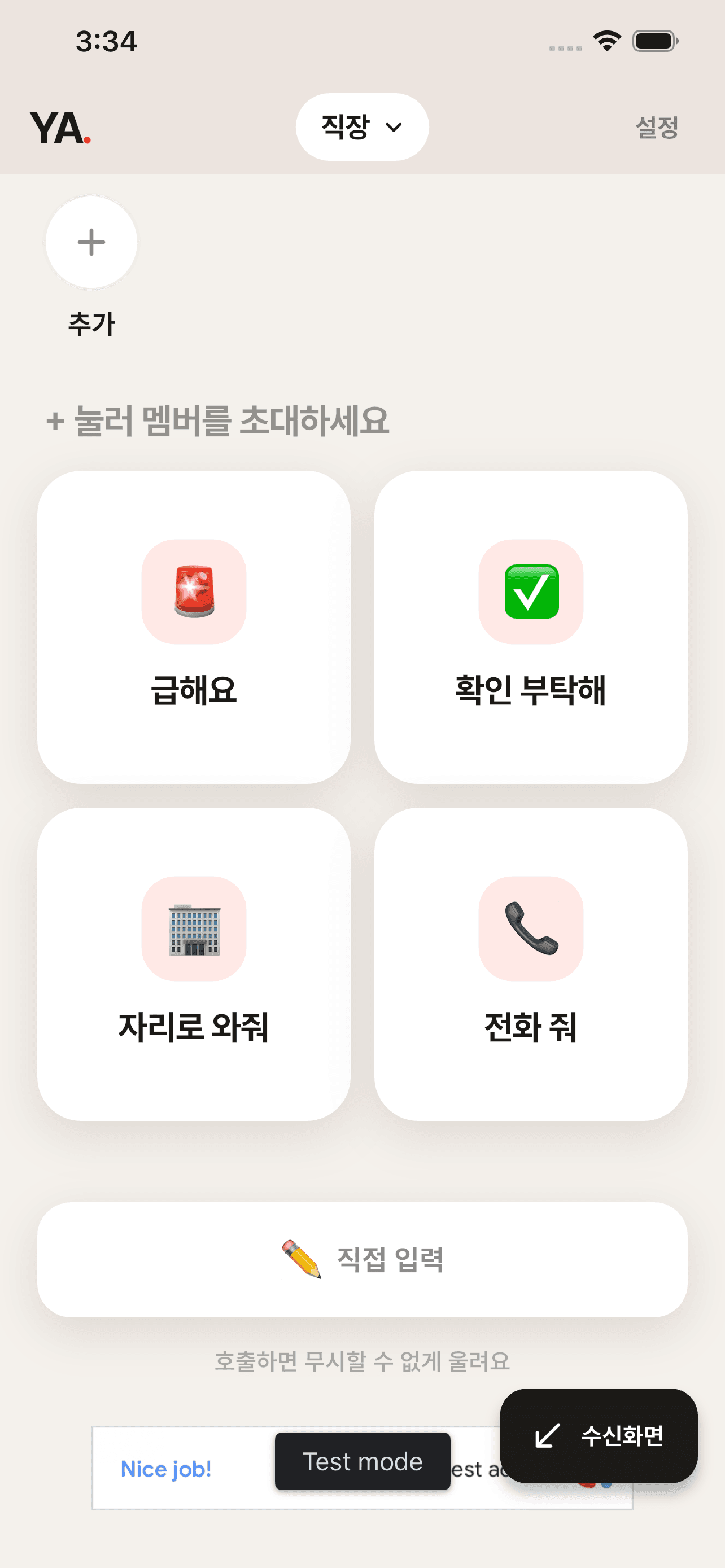
1
Open Settings
Tap "Settings" at the top right of the app home screen.
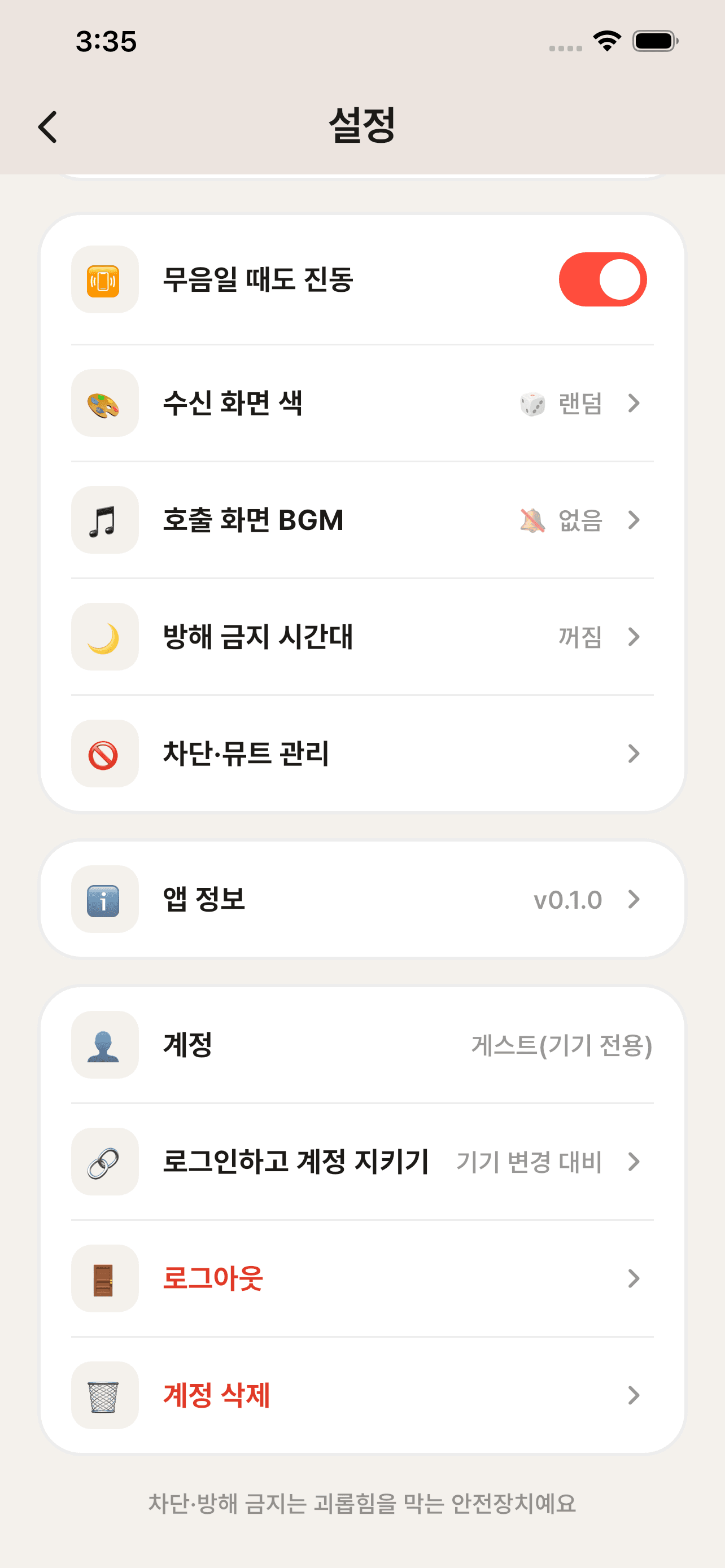
2
Delete Account
Tap "Delete Account" in the [Account] section at the bottom of the settings screen and confirm. Deleted data cannot be recovered.
BEmail Deletion Request
If you cannot access the app, you can request account deletion via the email below.
Please include the email address used for registration. Your request will be processed within 10 days.
!Deleted Data
Account InfoSocial login email, unique user ID (UID), tag
ProfileDisplay name (nickname), relationship category
Connections & CallsConnection (invite/accept) relationships, call records, quick replies
SettingsBlock/mute lists, do-not-disturb schedule, notification token (FCM)
iData Retained by Law
Abuse/Report Records1 yearAbuse prevention
Access Logs3 monthsProtection of Communications Secrets Act
Payment/Transaction Records5 yearsElectronic Commerce Act (if paid features are introduced)
The above data will be securely destroyed after the legally required retention period has elapsed.