
LIVEorDIE
Account Deletion Guide
When you delete your account in the LIVEorDIE app, all personal data will be permanently deleted. You can delete your account directly within the app or request deletion via email.
AIn-App Deletion
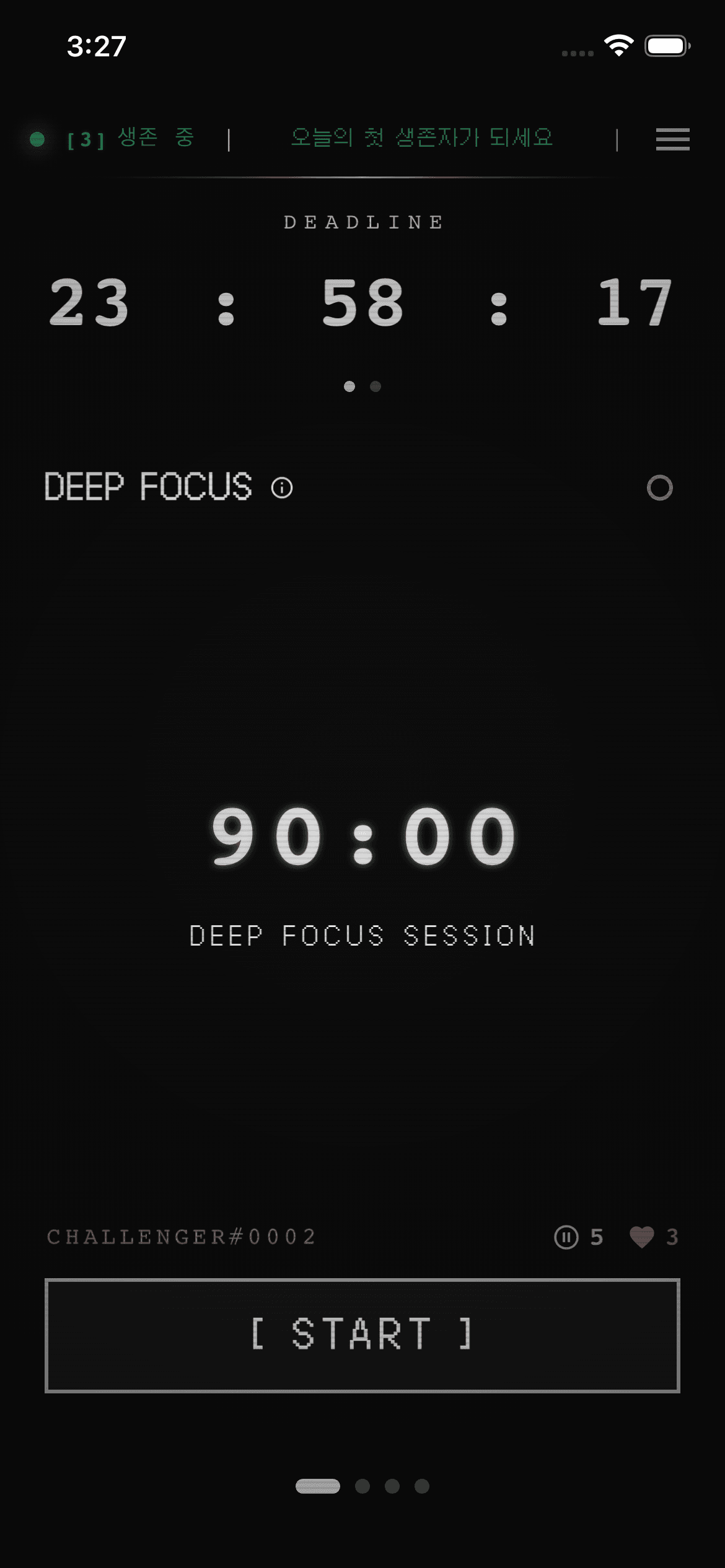
1
Open App Menu
Tap the menu (≡) icon at the top right of the app home screen.
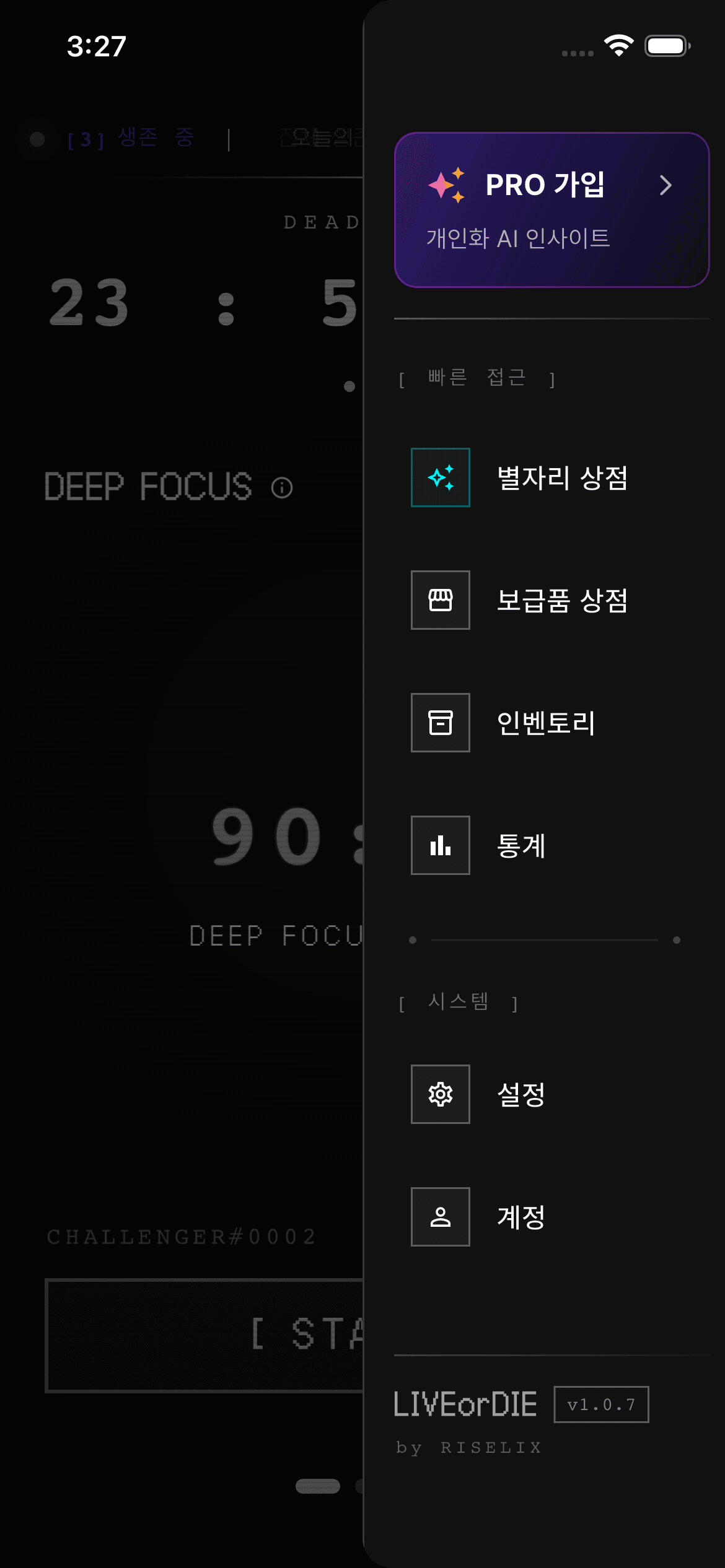
2
Go to Settings
Tap [System] > Settings in the menu.
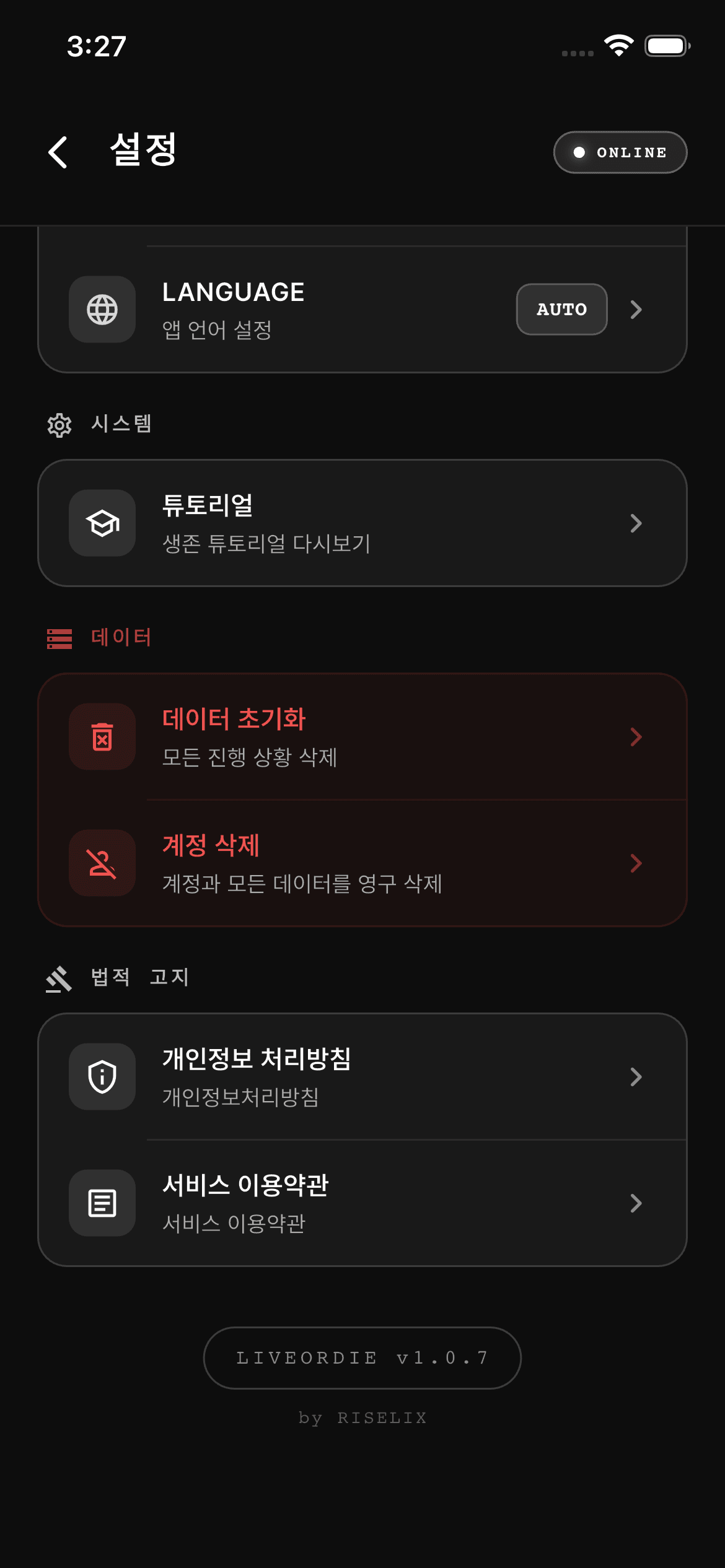
3
Delete Account
Tap "Delete Account" in the [Data] section at the bottom of the settings screen and confirm. All data will be permanently deleted.
BEmail Deletion Request
If you cannot access the app, you can request account deletion via the email below.
Please include the email address used for registration. Your request will be processed within 10 days.
!Deleted Data
Account InfoEmail, unique user ID, nickname, profile image
Service DataFocus session records, challenge progress, strategy selection history, statistics data
In-App DataAcquired items, points (LIX), achievements, titles
SettingsPersonal goals, focus topics, app preferences
iData Retained by Law
Payment/Transaction Records5 yearsElectronic Commerce Act
Subscription History5 yearsElectronic Commerce Act
Consumer Dispute Records3 yearsElectronic Commerce Act
Access Logs3 monthsProtection of Communications Secrets Act
The above data will be securely destroyed after the legally required retention period has elapsed.